Table of Contents (24 sections)
Smartphones have become an integral part of our daily lives, but many users overlook the importance of regular maintenance. Proper smartphone maintenance can significantly extend the lifespan of your device and enhance its performance, saving you time and money in the long run. In this guide, we will explore essential smartphone maintenance tips that every user should know.
1. Keep Your Software Updated
Keeping your smartphone's software up to date is essential for maintaining its performance and security. Regular updates provide new features and fix any bugs that might impact the device's functionality. For example, Android and iOS frequently release updates that improve security and add performance enhancements. According to a report by UFC-Que Choisir, devices with the latest software update tend to perform better and are less vulnerable to security threats.
Why is It Important?
Software updates often come with security patches that protect your personal information. Failing to update your phone can expose it to malware and other vulnerabilities. Always check for updates at least once a month and install them to keep your smartphone secure and running smoothly.
2. Clean Your Phone Regularly
Dirt, dust, and smudges can accumulate on your smartphone, affecting both its aesthetics and functionality. Regular cleaning not only keeps your device looking new but also improves its performance by preventing dust from entering the ports and speakers.
How to Clean Your Smartphone
- Use a microfiber cloth to wipe the screen and the back of your phone.
- For stubborn stains, lightly dampen the cloth with water or a suitable screen cleaner.
- Make sure to avoid harsh chemicals that can damage the screen protector or finish.
- Use a can of compressed air to clean out ports and speakers, ensuring that dirt doesn't interfere with functionality.


3. Battery Care for Longevity
The battery is one of the most critical components of your smartphone. To prolong its lifespan, avoid letting your battery drop to 0% often. Ideally, you should keep your battery charged between 20% and 80% for optimal health.
Understanding Battery Lifespan
Most smartphone batteries start degrading after around 300-500 full charge cycles. Implementing some simple habits, like avoiding extreme temperatures and not using your phone while it's charging, can help maintain your battery's health.
4. Manage Storage Effectively
Running low on storage can slow down your smartphone significantly. Regularly review your apps and files, removing any that you no longer use. Consider utilizing cloud storage options to free up space on your device.
Tips for Effective Storage Management
- Delete unused apps by navigating to settings and checking the storage usage.
- Use optimizing tools available on most smartphones, designed to clear cache and unnecessary files.
- Regularly backup your photos and videos to a cloud service to keep your storage under control.
5. Protect Your Device with a Case
Using a protective case is a simple yet effective way to prevent damage from drops and impacts. A high-quality case can absorb shock and prevent cracks in your screen and body.
Types of Cases Available
- Silicone Cases: Offer basic protection while being lightweight.
- Heavy-duty Cases: Provide optimum protection for those prone to dropping their phones.
- Waterproof Cases: Perfect for users who work in environments where their phone could get wet.
6. Optimize Battery Settings
Most smartphones come with battery-saving modes that help optimize performance. Activating these settings can extend your phone's battery life throughout the day, especially when you know you won't be able to charge for a while.
How to Optimize Battery Settings
- Go to your device's settings and find the battery option.
- Enable adaptive battery settings that help limit background activity and save energy.
- Consider reducing screen brightness or using auto-brightness to extend battery life.
7. Avoid Overloading Your Device
Having too many apps running in the background can slow down your device considerably and lead to increased battery drain. Close apps that you are not currently using to maintain optimal performance.
Recommended Practices
- Regularly restart your device to clear cached memory and restore performance.
- Limit background refresh settings for apps that don’t require constant updates.
- Monitor app usage in the settings to identify any resource hogs.
8. Backup Important Data
Backing up your data ensures that you don’t lose important information in case your device fails or is lost. Utilize cloud storage solutions to automatically backup essential files, photographs, and contacts.
How to Backup Your Data
- Use built-in solutions available on your smartphone, like Google Drive for Android or iCloud for iOS.
- Consider external solutions if you have large files, such as external hard drives or USB flash drives.
9. Use a Screen Protector
A screen protector can prevent cracks and scratches, protecting your device from daily wear and tear. Tempered glass protectors offer durability and clarity, maintaining touch sensitivity.
Benefits of a Screen Protector
- Guards against scratches from keys and other objects in your bag.
- Helps to reduce glare and improve visibility in sunlight.
- Acts as a barrier against dust and moisture.
10. Understand Your Warranty
Knowing the details of your smartphone's warranty can save you time and money. Make sure to read through the warranty documentation provided upon purchase to understand what is covered.
Why It Matters
Knowing your device’s warranty can help you get repairs or replacements at little to no cost. Failure to understand warranty terms can lead to unnecessary expenses.
Checklist before Purchase
- [ ] Check for the latest software updates.
- [ ] Clean the device regularly.
- [ ] Use a case and screen protector.
- [ ] Optimize battery settings.
- [ ] Backup data regularly.
Glossary
| Term | Definition |
|---|---|
| Software updates | Regular improvements made by manufacturers to enhance performance and security of devices. |
| Battery cycle | One full charge and discharge cycle of your device’s battery. |
| Storage management | The process of deleting unnecessary files and optimizing storage capacity on your device. |
> 📺 For further insights: Check out helpful maintenance videos on smartphone care on YouTube. Search:
smartphone maintenance tips 2026.
{[ "question": "How often should I update my smartphone software?", "answer": "You should check for updates at least once a month to ensure your device is secure and performing well." }, ]
📺 Pour aller plus loin : smartphone maintenance tips 2026 sur YouTube
Recommended products
Selected by our experts
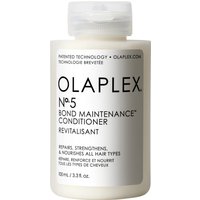
Après-Shampoing Bond Maintenance N°5 - 100ml - OLAPLEX
Blissim FR
This product is ideal for maintaining the cleanliness of your smartphone and ensuring optimal performance.
Après-Shampoing Bond Maintenance N°5 - 250ml - OLAPLEX
Blissim FR
Utilizing this product helps protect your device's screen from scratches and everyday damage.
Outifrance - Malette maintenance pro 90 pièces
Darty FR
This maintenance kit contains essential tools that can assist in the overall care and upkeep of your smartphone.