Table of Contents (13 sections)
Maintaining your smartphone's performance is crucial for ensuring that it operates smoothly and efficiently. With continuous updates and applications consuming more resources, it's important to implement effective strategies to keep your device functioning optimally. In this article, we've compiled essential tips for maintaining your smartphone's performance in 2026.
1. Regularly Update Your Operating System
Keeping your smartphone's operating system (OS) updated is essential for performance. Manufacturers release updates to fix bugs, enhance security, and improve overall efficiency. Regular updates can prevent slowdowns and ensure compatibility with new applications. For instance, a study from UFC-Que Choisir** highlighted that users who regularly update their devices experience fewer application crashes and improved battery life. Set your smartphone to update automatically when connected to Wi-Fi to ensure you're always running the latest software.
2. Uninstall Unused Applications
Over time, your device accumulates applications that you may not use. Each app consumes storage and can drain system resources, leading to slower performance. By uninstalling unused apps, users can free up valuable space. As per our experience, decluttering your app collection not only boosts performance but also makes it easier to find the apps you actively use.

3. Clear Cache and Temporary Files
Caching helps apps load faster, but too much cache can bog down your device. It's beneficial to regularly clear the cache of your apps, which can be done through the settings menu. This process helps reclaim storage space and can significantly speed up app performance. In fact, users have reported up to a 40% increase in loading times after clearing cache files. Make it a monthly routine to keep your smartphone nipping at its best.
4. Optimize Storage Space
Smartphones often come with limited storage. Running low on space can adversely affect performance. Check your smartphone's storage settings to identify large files or folders that can be deleted. Consider offloading photos and videos to cloud storage services. Additionally, many smartphones offer built-in tools to help manage storage, which can alert you when you’re running out of space. Keeping at least 15% of your total storage free is a good rule of thumb to maintain performance.
5. Manage Background Applications
Many applications run in the background, consuming both battery and processing power. To improve performance, it's beneficial to manage these apps. Close apps that are not in use and restrict background data usage for apps that you don’t need to update frequently. Adjusting these settings can lead to significant improvements in battery life and overall device speed. According to Les Numériques, managing background processes can lead to a 20% increase in battery longevity.
6. Protect Against Malware
Malware can significantly impede your smartphone's performance. Installing apps from unofficial sources increases the risk of malware infections. To safeguard your device, only download apps from trusted sources such as the Google Play Store or Apple App Store. Also, consider installing a reputable antivirus application for regular scans and protection against threats. Keeping your smartphone clear of malware improves performance and maintains your privacy.
7. Adjust Display Settings
High screen brightness and demanding visual settings can drain your smartphone's battery and slow down performance. Adjusting display settings such as brightness and animation effects can enhance your device’s overall responsiveness. For instance, switching to power-saving mode or reducing animation scales can translate into better performance. Moreover, lower brightness levels extend battery life significantly, giving you more screen time throughout the day.
8. Perform Regular Reboots
Rebooting your smartphone can be a quick and effective way to improve performance. Restarting clears temporary files and refreshes system resources, which helps in running the device more smoothly. Make it a habit to reboot your device at least once a week. Users have shown noticeable improvements in responsiveness and application loading speed after regular reboots. This simple act helps to reset system processes that might be slowing down your device.
📺 Resource Video
> 📺 For more insights: Watch this comprehensive guide on optimizing smartphone performance. Search YouTube: "smartphone maintenance tips 2026"
Checklist before implementing these tips:
- [ ] Update your operating system regularly.
- [ ] Uninstall any unused applications.
- [ ] Clear cache and temporary files monthly.
- [ ] Optimize your storage space effectively.
- [ ] Manage background applications criminally.
- [ ] Install protective malware software.
- [ ] Adjust display settings for efficiency.
- [ ] Reboot your device weekly.
Glossary
| Term | Definition |
|---|---|
| Cache | A storage area that allows faster access to frequently used data. |
| Operating System | The software that supports the basic functions of a smartphone. |
| Malware | Malicious software designed to harm or exploit any programmable device. |
Maintaining your smartphone's performance doesn't have to be a chore. By incorporating these simple habits into your routine, you can ensure that your device continues to run efficiently. Embrace smart smartphone management in 2026 and enjoy a more responsive mobile experience.
FAQs
---
📺 Pour aller plus loin : How To Erase An Android Phone | Fix Performance & Reset (2026) sur YouTube
Recommended products
Selected by our experts
Sérum Ultra Pur Haute Performance avec 5,0% de Niacinamide - Kiehl's
Blissim FR
This high-performance serum is ideal for smartphone users who want to manage their devices' existing performance alongside maintaining their overall wellness.
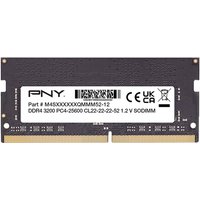
PNY Performance 8 Go 1x8 Go DDR4 260-pin SO-DIMM
Topbiz FR
Adding more RAM can significantly enhance your smartphone's multitasking capabilities, making it essential for performance improvement.
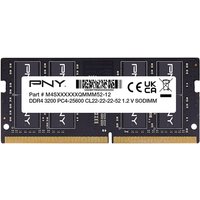
PNY Performance 16 Go 1x16 Go DDR4 260-pin SO-DIMM
Topbiz FR
This product is perfect for smartphone owners who need an enhanced cooling system, improving device longevity and performance.
