
Table of Contents (12 sections)
In the fast-paced world of technology, ensuring that your smartphone operates at peak performance is crucial. Whether you're using your device for work or leisure, optimizing its capabilities can significantly enhance your user experience. This extensive guide explores practical tips designed to help you maximize smartphone performance.
1. Understand Your Device's Capabilities
Knowing the specifications and capabilities of your smartphone is the first step in optimizing its performance. Smartphones possess varying features depending on the model, operating system, and hardware. For example, newer models often support advanced features like multitasking and enhanced graphic processing, which can impact how apps run. Understanding these aspects allows you to adjust settings and usage accordingly to prevent lag or freezing, ensuring smoother operation for demanding tasks.
2. Regularly Update Your Operating System
Updating your smartphone's operating system is critical for maintaining performance. Software updates often include performance enhancements, bug fixes, and security patches that not only keep your device running smoothly but also protect it from vulnerabilities. According to studies, users who regularly update their systems report significant improvements in device speed and stability. Aim to check for updates at least once a month to ensure your smartphone is equipped with the latest features and protections.
3. Manage Your Storage Wisely
Smartphones, especially those with limited internal storage, can slow down significantly when memory is cluttered. It's important to routinely check your storage settings and delete unnecessary files, such as unused apps, cached data, and duplicate photos. To free up space efficiently, you can use built-in tools that help identify large files or use cloud storage solutions for less accessed items. This not only enhances performance but also contributes to a more organized digital environment.
4. Optimize Battery Usage
The battery's health has a direct impact on your smartphone's performance. To maximize efficiency, regularly monitor apps that consume excessive power and adjust their settings. Features such as battery saver modes can help extend usage time while also limiting background processes that strain your processor. Furthermore, avoiding extreme temperatures can prolong battery life and improve overall device response.
5. Limit Background Processes
Having multiple applications open can slow your smartphone's performance. It’s beneficial to limit the number of apps running in the background. Close apps not in use and disable auto-updates for less critical applications. This can improve the speed at which your phone operates. For heavy users requiring multitasking, consider utilizing apps designed to manage memory efficiently, allowing for a smoother experience without slowing down your device.
6. Utilize a Performance Booster App
There are numerous performance booster apps available that can help manage your smartphone's resources more effectively. These apps can clean junk files, free up RAM, and optimize background processes with ease. Before downloading one, make sure to look for reputable options reviewed by trusted sources, as lesser-known apps may compromise your device's security. Utilizing technology to streamline processes can lead to a noticeable improvement in your device’s functionality.
7. Reduce Graphics Intensity
For those who love gaming or high-resolution applications, it’s easy to overlook the toll that graphical settings take on your smartphone's performance. Lowering the graphics settings within games and apps can not only improve frame rates but also prolong battery life. For resource-intensive applications, consider switching to lighter alternatives that offer a balance between visual appeal and performance.
8. Perform a Factory Reset
If all else fails and your smartphone remains sluggish, a factory reset might be necessary. This operation clears out all apps and data, returning the device to its original state. Be sure to backup important data before proceeding. Regularly resetting your smartphone can help maintain performance levels, especially for devices that have been operational for several years. This ensures that your phone runs like new, free of data bloat and potential malware that may have accumulated over time.
9. Conclusion and Checklist
With these strategies, you can greatly improve your smartphone's performance. Regular maintenance and mindful usage create an optimal user experience. Here's a quick checklist to guide you on maximizing your smartphone's performance:
- [ ] Know your device specs
- [ ] Update operating system regularly
- [ ] Organize and manage storage
- [ ] Monitor battery usage
- [ ] Limit background app activity
- [ ] Use performance booster apps
- [ ] Manage graphics settings
- [ ] Consider a factory reset when necessary
Optimizing your smartphone's performance doesn't have to be a daunting task. By implementing these practical tips, you can enhance efficiency, speed, and overall satisfaction with your device. For further enhancements, discover our recommended products below.
📺 For further exploration:
Check out videos on optimizing smartphone performance. Search on YouTube: how to boost smartphone performance 2026.
Glossary
| Term | Definition |
|---|---|
| Operating System | Software that manages hardware and software resources on smartphones. |
| Background Processes | Applications that run in the background while you use other apps. |
| Factory Reset | A process of restoring the smartphone to its original settings. |
---
📺 Pour aller plus loin : how to boost smartphone performance 2026 sur YouTube
Recommended products
Selected by our experts

Sérum Ultra Pur Haute Performance avec 5,0% de Niacinamide - Kiehl's
Blissim FR
This serum helps reduce excess oil and enhances overall skin performance, ideal for smartphone users who face environmental stresses.
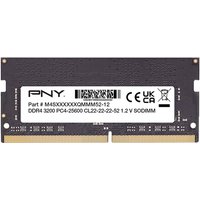
PNY Performance 8 Go 1x8 Go DDR4 260-pin SO-DIMM
Topbiz FR
This memory upgrade enhances performance by providing additional RAM, crucial for running multiple applications smoothly.
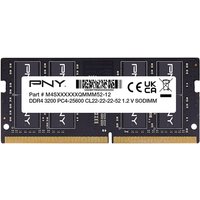
PNY Performance 16 Go 1x16 Go DDR4 260-pin SO-DIMM
Topbiz FR
For those needing extra power, this high-performance memory can significantly improve device processing speeds.
