
Table of Contents (13 sections)
In today’s fast-paced world, a smartphone is more than just a device; it's an essential tool for communication, work, and entertainment. Optimizing smartphone performance is critical to ensure that it runs smoothly, acts quickly, and adapts to the user's needs without frequent slowdowns or crashes. Given that many users rely heavily on their smartphones for various daily tasks, understanding how to boost performance can greatly enhance the user experience. In this guide, we'll explore practical steps to optimize your smartphone’s performance and longevity.
Step 1: Update Your Software Regularly
Keeping your smartphone's operating system up to date is fundamental for performance optimization. Software updates typically include not only new features but also crucial security patches and performance enhancements. To check for updates, navigate to your device's settings and look for the 'Software Update' section. According to a report by the International Data Corporation (IDC), nearly 30% of smartphone users don’t regularly update their devices, which can lead to increased vulnerability and slower performance. Pro Tip: Set your phone to automatically download and install updates whenever it's connected to Wi-Fi. Doing this ensures that you're always using the latest version, enhancing both performance and security.
Step 2: Manage Your Storage
Insufficient storage can severely hinder your smartphone’s performance. When a device is close to reaching full capacity, apps may struggle to operate smoothly, leading to crashes and freezes. To manage storage:
- Regularly delete unused apps, especially those that consume a lot of space.
- Use cloud storage solutions for photos and videos, which often take up much room.
- Check your device's storage settings to identify what is using the most space.
Statistics show that an average smartphone user has about 80 apps installed but only uses about 30 regularly. By streamlining your apps and files, you can free up space and boost performance significantly.


Step 3: Optimize Background Apps
Many apps run in the background, consuming system resources and battery life. To improve performance, periodically check which apps are using the most resources. On most devices:
- Go to the Settings app.
- Locate the 'Battery' or 'App Management' section.
- Identify apps that you rarely use and can limit background activity.
To further optimize performance, consider using power-saving modes, which can limit background processes and reduce unnecessary system strain. It’s essential to find a balance between convenience and performance, ensuring that only the necessary applications remain active while optimizing battery life.
Step 4: Clear Cache and Data
Cache Management
Apps accumulate cache data over time, which can slow down your smartphone. Clearing this cache can help improve speed. For Android devices:
- Go to 'Settings' > 'Apps'.
- Select the app you wish to clear data for.
- Tap 'Storage', then select 'Clear Cache'.
💡 Expert Insight: Regularly clearing cache can free up significant space and improve app functionality. Users may notice quicker loading times and a more responsive interface after performing this maintenance.
Data Management
Alongside clearing cache, managing app data is paramount.
- Uninstall apps you no longer use.
- Use storage optimization options provided within your smartphone settings to delete old or redundant data.
Step 5: Disable Animations and Widgets
While smartphone interfaces often come with appealing animations, they can impact performance. Disabling or reducing animations can lead to a snappier feel. To do this, access the developer options (under 'Settings' > 'About Phone', tap on 'Build Number' seven times to unlock Developer Options) and reduce the scale of animations.
Widgets, while useful, can also slow down devices. Remove widgets that aren’t actively needed or that consume a lot of resources. User feedback suggests that reducing animations can make the interface feel noticeably faster, resulting in a more enjoyable user experience.
Step 6: Regularly Restart Your Device
It’s a simple yet effective step. Regularly restarting your smartphone can clear temporary files and free up resources. Users often overlook this step, believing that their phones are capable of handling tasks without breaks. Restarting refreshes the system and can solve minor glitches, ultimately leading to improved performance.
Expert Opinion: A tech expert recommends restarting your phone at least once a week to maintain optimal performance.
Checklist before optimization
- [ ] Check for software updates
- [ ] Delete unused applications
- [ ] Clear cache regularly
- [ ] Limit background app processes
- [ ] Restart device weekly
- [ ] Disable unnecessary animations and widgets
Conclusion
Optimizing smartphone performance is an ongoing process that requires a little maintenance and attention. Implementing these steps will help you enjoy a faster, more efficient smartphone experience. For those who wish to take their device performance to the next level, consider exploring some helpful products we've selected that can aid in keeping your smartphone in top shape.
📺 Resource Video
[How to Improve Android Phone Performance?], a comprehensive guide on enhancing smartphone speed and efficiency. Search on YouTube: "optimize smartphone performance 2026".
Glossary
| Terme | Définition |
|---|---|
| Cache | Une mémoire temporaire utilisée par les applications pour stocker des données et améliorer les temps de chargement. |
| Middleware | Un logiciel qui permet à différents systèmes ou à des applications de communiquer entre eux. |
| Firmware | Logiciel intégré en permanence dans le matériel d'un appareil, essentiel à son fonctionnement.
📺 Pour aller plus loin : how to optimize smartphone performance 2026 sur YouTube
Recommended products
Selected by our experts
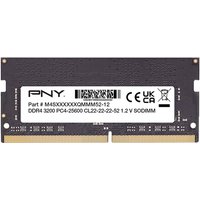
PNY Performance 8 Go 1x8 Go DDR4 260-pin SO-DIMM
Topbiz FR
Adding more RAM can significantly enhance your smartphone's multitasking capabilities.
PNY Performance 16 Go 1x16 Go DDR4 260-pin SO-DIMM
Topbiz FR
Upgrading to a high-performance storage option can help in running applications faster.
Performance Health Coussin Gonflab
DocMorris FR (ex DoctiPharma FR)
Investing in a quality phone case can protect your device from physical damage, enhancing its longevity.
