
Table of Contents (13 sections)
Smartphone photography has evolved tremendously over the years, allowing anyone to take amazing pictures with just their mobile devices. Today, a smartphone is an essential companion for documenting everyday moments, adventures, and events. Whether you’re a novice or looking to refine your skills, understanding the nuances of smartphone photography can significantly enhance your image quality. In this article, we'll explore essential smartphone photography tips that will help you capture breathtaking shots and make the most of your device's capabilities.
1. Understand Your Smartphone Camera Settings
Before you dive into capturing images, take a moment to explore your smartphone camera settings. Each device offers different capabilities, such as resolution options, exposure settings, and white balance adjustments. Knowing how to adjust these settings can greatly affect your photographs. For instance, switching to the Pro or Manual mode (if available) allows you to fine-tune settings manually, offering you more creative control over your images. Experiment with different settings in various lighting conditions to see how they influence your photos. Understanding these features is crucial as they set the foundation for your photography skills.
2. Lighting is Key: Master Natural Light
Lighting is one of the most critical factors in photography. For smartphone photography, natural light often yields the best results. Aim to shoot during the golden hours—early morning or late afternoon—when the light is soft and warm. If you're shooting indoors, position your subject near a window to take advantage of the natural light streaming in. Avoid harsh sunlight that creates shadows; instead, look for shaded areas that provide even lighting. By becoming attuned to lighting conditions, you can elevate the quality of your photographs significantly.


6inch USB LED Video Light Dimmable Ring Lamp for Photography Selfie Live Studio
Darty FR
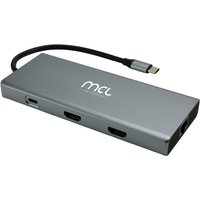
MCL 10-PORT DOCKING STATION HDMI station d'accueil Tablette/Smartphone/ordinateur portable Noir, Gris
Topbiz FR
3. Compose Your Shots: The Rule of Thirds
One of the simplest yet powerful techniques in photography is the Rule of Thirds. Imagine dividing your image into a 3x3 grid, where you align your subject along the grid lines or intersections rather than placing them in the center. This approach creates a more dynamic composition and draws viewers' eyes to key elements in your photo. Most smartphone cameras offer a grid option in settings, making it easy to apply this technique while shooting. Practicing composition techniques like this can enhance your photographic storytelling.
4. Utilize Leading Lines for Depth
Another compositional technique is using leading lines to guide the viewer's eye throughout the image. Look for natural lines in your environment, such as roads, pathways, or buildings, that can lead toward your subject. This technique adds depth and perspective to your photos, making them more engaging. For example, capturing a winding road leading into the distance can create a sense of adventure. By incorporating leading lines, you can create visually appealing images that draw viewers in and keep them interested.
5. Experiment with Angles and Perspectives
Don’t just shoot from eye level. Explore different angles and perspectives to give your images a unique touch. Try to shoot from a low angle to emphasize your subject or from above to create a different context. Each perspective can drastically alter the feel and story of your photo. For instance, capturing a flower from underneath adds a dramatic flair compared to shooting from above. Explore various angles as part of your creative process to find what works best for your subject.
6. Keep Your Lens Clean
It may seem trivial, but keeping your smartphone lens clean is crucial for achieving sharp photographs. Dust, fingerprints, and smudges can cloud your images, reducing clarity. Use a soft microfiber cloth to gently clean the lens before taking pictures. This small yet effective tip can make a significant difference in the quality of the images you capture. Regular maintenance of your device ensures that every shot is crisp and clear, allowing you to showcase your photography skills to their fullest.
7. Play with Editing Apps
Editing your photos can drastically change their impact. While most smartphones offer basic editing options, several apps can augment these features. Explore various editing applications to find the ones that suit your needs best. Adjusting brightness, contrast, saturation, and applying filters can enhance the colors and mood of your photos. Popular editing apps include Adobe Lightroom, Snapseed, and VSCO, each offering unique tools to refine your images. By learning to edit, you maximize your smartphone's photographic potential.
8. Practice Makes Perfect
Finally, the most vital tip is to practice consistently. Like any skill, photography improves the more you do it. Challenge yourself to take photos daily or weekly, focusing on different techniques each time. Share your work with friends or on social media to gather feedback and improve further. Participating in photography challenges or local groups can also inspire you and help expand your skills. Embrace the journey of learning and refining your craft over time.
Checklist before you Shoot
- [ ] Verify camera settings (resolution and exposure)
- [ ] Consider natural lighting conditions
- [ ] Apply the Rule of Thirds for composition
- [ ] Identify leading lines in your scene
- [ ] Experiment with different angles and perspectives
- [ ] Clean your smartphone lens before shooting
- [ ] Edit your photos to enhance quality
- [ ] Practice regularly to build your skills
📺 Resource Video
> 📺 To dive deeper: Watch our tutorial on smartphone photography tips for an extensive guide on techniques and editing tricks. Search on YouTube for: 'smartphone photography techniques 2026'.
Glossary
| Terme | Définition |
|---|---|
| Règle des tiers | Technique de composition où l'image est divisée en neuf parties égales pour guider l'œil du spectateur. |
| Profondeur de champ | Zone de mise au point dans une photo, où les objets près et loin de l'appareil photo sont nets. |
| Édition photo | Processus d'amélioration des images à l'aide de logiciels ou d'applications. |
Embracing these smartphone photography tips will allow you to capture stunning images that tell your story beautifully. As you continue your journey in smartphone photography, don’t hesitate to explore and adapt these techniques in a way that fits your style. Happy shooting!
Recommended Products
- Utility Photography Belt: Perfect for carrying all your photographic accessories while on the go and ensuring you have everything at your fingertips.
- Dimmable Ring Light: A great addition for improving your indoor photography and providing even lighting for your shots.
- Samsung Smartphone Adapter: This adapter is excellent for mounting your smartphone with various camera accessories, enhancing your shooting experience.
📺 Pour aller plus loin : smartphone photography techniques 2026 sur YouTube
Recommended products
Selected by our experts
Gb-1 Utility Photography Belt Lens Pouches Case With 4 Metal D-rings
Darty FR
Perfect for carrying all your photographic accessories while on the go and ensuring you have everything at your fingertips.
6inch USB LED Video Light Dimmable Ring Lamp for Photography Selfie Live Studio
Darty FR
A great addition for improving your indoor photography and providing even lighting for your shots.
MCL 10-PORT DOCKING STATION HDMI station d'accueil Tablette/Smartphone/ordinateur portable Noir, Gris
Topbiz FR
This adapter is excellent for mounting your smartphone with various camera accessories, enhancing your shooting experience.
