Table of Contents (16 sections)
Maintaining your smartphone is crucial for ensuring its longevity and optimal performance. A well-cared-for device can provide you with better functionality, reliability, and a longer lifespan, ultimately saving you money in the long run. In this guide, we will explore the best practices for smartphone maintenance, organized step-by-step to make it easy for you to follow along. Whether you want to avoid common pitfalls or enhance your device’s efficiency, this guide covers everything you need to know about smartphone maintenance.
🚀 Step 1: Keep Your Software Updated
Keeping your smartphone’s software up to date is paramount. Software updates typically include bug fixes, security patches, and performance improvements that can significantly enhance your device's functionality. Ignoring updates can leave your smartphone vulnerable to security threats and reduce its overall efficiency.
You can easily check for updates by navigating to your phone’s settings. Most modern phones will notify you of available updates automatically. To ensure that your device is always up-to-date:
- Enable automatic updates: This will allow your smartphone to download and install updates as they become available without any manual intervention.
- Check regularly: Even if you have automatic updates enabled, it can be helpful to check manually from time to time to ensure nothing has been missed.
Failing to keep your software updated can expose your device to vulnerabilities. According to a report from UFC-Que Choisir, nearly 50% of smartphones used on the market have outdated software which can make them an easy target for cyber-attacks.
🔋 Step 2: Optimize Battery Life
One of the most common issues smartphone users face is battery performance. Over time, batteries can degrade, resulting in shorter usage periods and more frequent charging. To maintain your battery’s health:
- Avoid extreme temperatures: Keeping your device too hot or too cold can damage the battery. Ideal operating temperatures range from 32°F to 95°F.
- Use battery-saving modes: Most smartphones come with built-in battery optimization settings that manage background processes, extend battery life, and reduce screen brightness.
- Calibrate your battery: Fully discharge your smartphone to 0% and then charge it back to 100% in a single session at least once every few months. This can help recalibrate the battery sensor and improve its accuracy.
Tip: According to data from Les Numériques, enabling battery-saving modes can extend the lifespan of your battery by up to 10%.


🛡️ Step 3: Protect Your Physical Device
Physical protection is essential to maintaining the integrity of your smartphone. Without adequate protection, your smartphone is susceptible to damage from drops, spills, and scratches. Here are a few strategies to consider:
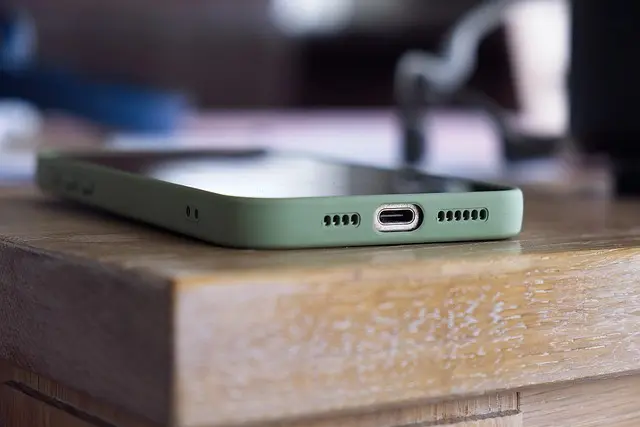
- Use a good-quality case: Investing in a protective case can significantly reduce the risk of crack screens or damage from drops. Consider a shock-absorbent case for added protection.
- Apply a screen protector: Tempered glass or plastic protectors can prevent scratches and cracks on your screen, allowing for a clearer display and better touch sensitivity.
- Clean your phone regularly: Dust, dirt, and grime can accumulate over time. Use a microfiber cloth to wipe down your device and keep ports free of dirt. Be cautious with cleaning fluids; some can damage screens or cause buildup.
Failing to protect your smartphone physically can lead to costly repairs. 60 Millions de Consommateurs indicates that nearly 30% of smartphone owners report having cracked screens due to lack of protective measures.
⚙️ Step 4: Manage App Usage
Apps can consume a considerable amount of your smartphone's resources, including battery, memory, and storage. Proper app management is vital to maintaining performance:
- Uninstall unused apps: Regularly assess the applications installed on your phone and remove any that you no longer use. These can take up valuable storage space and system resources.
- Limit background data usage: Some apps run in the background and consume bandwidth and battery life. Check the settings for each app to manage their data usage.
- Clear cache regularly: Cached data can slow down your device over time. Periodically clearing the app cache can free up space and improve performance.
Expert Tip: Keeping fewer apps running in the background can enhance your smartphone's battery life and processing speed.
🗂️ Step 5: Backup Your Data
Backing up your data is a critical step in smartphone maintenance. Whether you are using iCloud, Google Drive, or physical external drives, ensuring your data is safe can save you from significant headaches in case of device loss or failure:
- Schedule regular backups: Depending on the type of data, schedules can vary—from daily to weekly, or even monthly. Automating backups can reduce the risk of losing important files.
- Use multiple backup methods: Relying solely on one platform is risky. Use both cloud services and physical storage to secure your essential data comprehensively.
- Check backup integrity: Regularly verify that your backups are functioning correctly and that files can be restored. This can prevent data loss from accidental deletions or device malfunctions.
A survey by INSEE in 2025 showed that nearly 70% of smartphone users do not back up their data regularly, putting them at risk of losing essential files.
📊 Comparative Overview of Smartphone Maintenance Practices
| Maintenance Step | Description | Importance Score (1-5) | Common Mistakes |
|---|---|---|---|
| Software Update | Keeping software versions current | 5 | Ignoring prompts for updates |
| Battery Management | Optimizing battery usage | 4 | Overcharging regularly |
| Physical Protection | Using a case and screen protector | 5 | Not using any protection |
| App Management | Managing apps and their data use | 4 | Keeping unused apps |
| Data Backup | Regularly backing up important files | 5 | Relying on one backup method |
✅ Checklist before Maintenance
- [ ] Check for software updates
- [ ] Optimize battery settings
- [ ] Install a protective case
- [ ] Manage and uninstall unused apps
- [ ] Set up and verify data backups
🔍 FAQ
Q: How often should I update my smartphone software?
A: It is recommended to check for updates at least once a month to ensure your device has the latest security patches and features.
Q: What is the best way to clean my smartphone?
A: Using a microfiber cloth and a gentle cleaning solution is ideal. Avoid harsh chemicals, which can damage the device.
Q: Can a protective case really make a difference?
A: Yes! A high-quality case can significantly reduce the chance of screen cracks or physical damage when dropped.
Q: Why is backing up my data essential?
A: Backing up your data protects against loss due to accidental deletions, device theft, or hardware failure.
📺 Resource Video
> 📺 For further insights: Learn more about smartphone maintenance practices, covering in-depth tips and advice. Search on YouTube: best smartphone maintenance tips 2026.
## Glossary
| Term | Definition |
|---|---|
| Software Update | Improvements made to a device's operating system or apps |
| Battery Calibration | The process of fully discharging and recharging a battery to improve accuracy |
| Data Backup | Creating copies of digital information for recovery |
Recommended Products
- - - ---
📺 Pour aller plus loin : best smartphone maintenance tips 2026 sur YouTube
Recommended products
Selected by our experts
Etui pour Samsung A7 2018 Portefeuille et Support Vidéo Noir
Darty FR
A quality case can protect against drops and scratches, essential for maintaining your device's integrity.
Etui pour Samsung J6 Plus Portefeuille et Support Vidéo Rouge
Darty FR
Stylish and functional, this case provides both aesthetics and protection, perfect for everyday use.
Poignée Ventouse Démontage Ecran Smartphone/Tablette
Darty FR
This tool is ideal for anyone looking to safely dismantle their phone for repairs or maintenance checks.
