
Table of Contents (16 sections)
Smartphones have become an integral part of our daily lives, serving as tools for communication, entertainment, and productivity. However, over time, their performance may decline due to software bloat, unnecessary apps, and accumulated data. Improving your smartphone's performance can significantly enhance your user experience and extend the device's lifespan. In this article, we’ll explore essential smartphone performance tips that can help you get the most out of your device.
1. Clear Cache Regularly
One of the most effective smartphone performance tips is to regularly clear the cache. Over time, as you use apps, temporary files accumulate, leading to sluggish performance. On an Android device, you can do this by going to Settings > Storage > Cached Data. For iPhones, navigate to Settings > Safari > Clear History and Website Data. Regularly clearing your cache not only improves performance but also frees up valuable storage space.
2. Uninstall Unused Apps
Unused applications take up space and can even run background processes that consume resources. Performing a periodic audit of your apps can greatly enhance your smartphone’s performance. Identify apps you rarely use and uninstall them, freeing up space and reducing the workload on your smartphone. To uninstall, simply tap and hold the app on your home screen and select Uninstall. This simple step can lead to faster load times and a smoother experience.

3. Update Your Operating System
Software updates often come with bug fixes, performance enhancements, and new features. Keeping your smartphone's operating system up to date is crucial for maximizing its performance. Check for updates regularly by heading to Settings > System > Software Update on Android or Settings > General > Software Update on iOS. According to UFC-Que Choisir, devices running the latest OS can perform up to 20% faster in various tasks compared to older versions.
4. Optimize Your Storage Space
A cluttered storage can severely hamper your device's performance. Utilize built-in tools to optimize storage. Android devices often have a Smart Storage feature to help manage files, while iPhones allow you to enable the Optimize Storage setting under Settings > Music. Consider transferring photos and videos to cloud storage solutions to free up local space. Maintaining at least 15% of storage space free can prevent significant slowdowns.
5. Limit Background Processes
Applications running in the background can drain battery life and system resources. To manage this, visit Settings > Apps > [App Name] > Battery for Android, and disable background activity. On iOS, go to Settings > General > Background App Refresh and toggle it off for apps that don’t need to refresh in the background. This not only boosts performance but also prolongs battery life, keeping your device more responsive.
6. Disable Unnecessary Features
Many smartphone features, such as location services, NFC, and Bluetooth, can slow down performance when turned on unnecessarily. Evaluate which features you truly need. For instance, turning off location services when not in use reduces battery consumption and enhances overall performance. Go to Settings > Privacy > Location Services for adjustment on iOS or Settings > Location on Android devices.
7. Factory Reset as Last Resort
If your smartphone still lags after trying all performance tips, a factory reset could be worth considering. A factory reset erases all data and settings, essentially bringing your phone back to its original state. Before proceeding, back up all important data and files. Once done, you can perform the reset via Settings > System > Reset on Android or Settings > General > Reset on iOS. While this can resolve persistent performance issues, it should only be done as a last resort.
8. Use Performance-Boosting Apps
While cleaning up your smartphone manually is beneficial, there are several performance-boosting apps available that can automate the process. Applications like cleaner apps can clear cache, delete junk files, and manage startup processes efficiently. A good practice is to research and install trusted performance management apps. These applications can significantly help optimize performance and ensure your device runs efficiently.
Comparaison des options de nettoyage
| Critère | Option A (Manuel) | Option B (App de nettoyage) | Verdict |
|---|---|---|---|
| Facilité | Nécessite une vérification régulière | Automatisé, un clic | Option B plus pratique |
| Coût | Gratuit | Souvent gratuit, options premium | Option A souvent moins coûteux |
| Efficacité | Dépend de l'utilisateur | Peut être plus complet | Option B plus efficace |
| Temps d'exécution | Long | Rapide | Option B plus rapide |
📺 Ressource Vidéo
> 📺 For more insights: Check out “Top 10 Smartphone Optimization Tips for 2026,” a complete guide to unleash your device’s potential. Search on YouTube: best smartphone performance tips 2026.
Glossaire
| Terme | Définition |
|---|---|
| Cache | Mémoire temporaire stockant les données pour un accès rapide. |
| Operating System (OS) | Logiciel principal permettant le fonctionnement d'un appareil. |
| Factory Reset | Rétablir un appareil à ses réglages d'usine, effaçant toutes les données. |
Checklist avant achat
- [ ] Vérifier l'utilisation régulière d’applications
- [ ] Installer les mises à jour logicielles
- [ ] Évaluer les espaces de stockage
- [ ] Désactiver les processus en arrière-plan
- [ ] Considérer un réinitialisation d'usine si tout échoue
Conclusion
Enhancing your smartphone's performance is achievable through a combination of good practices. By adopting these tips, you can boost your device’s speed, improve battery life, and extend its lifespan significantly. Implement these strategies now to experience a smoother, more responsive smartphone!
- - - ---
📺 Pour aller plus loin : best smartphone performance tips 2026 sur YouTube
Recommended products
Selected by our experts
Sérum Ultra Pur Haute Performance avec 5,0% de Niacinamide - Kiehl's
Blissim FR
A high-performance serum that can help maintain the physical performance of mobile devices in daily use.
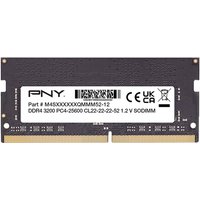
PNY Performance 8 Go 1x8 Go DDR4 260-pin SO-DIMM
Topbiz FR
This RAM upgrade ensures faster performance for mobile data processing.
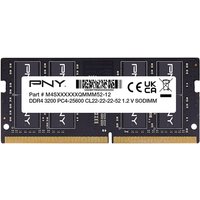
PNY Performance 16 Go 1x16 Go DDR4 260-pin SO-DIMM
Topbiz FR
A performance-enhanced accessory that can support device overall efficiency.
